
Grades • Growth • Goals
Grades & Student Data
Check grades, understand assessment results, and see the goals that help your child keep growing throughout the school year.
MySchoolWorx Parent Portal
See current grades, missing assignments, attendance and teacher messages in one place. Use the login provided by the front office.
Open MySchoolWorxNeed a login?
Contact the front office and we'll get your parent account set up right away.
Call (786) 410-5095 and talk to Ms. Gigi or Ms. Tookes to reset your password.
Questions about a grade?
Schedule a conference and talk it through with your child's teacher.
SCHEDULE A CONFERENCEYour Child's Data Folder
Every student has a data folder at school containing tests and assessments for parent review. These materials help show current strengths, progress, and areas where extra support may be needed.
Review It With Us
Schedule a conference to come in, look through your child's folder, and discuss the results with the school team.
Schedule a ConferenceUnderstanding NWEA MAP Growth
Students take the NWEA MAP assessment three times each year—fall, winter, and spring—to measure academic progress in reading and math.
How to Read the Report
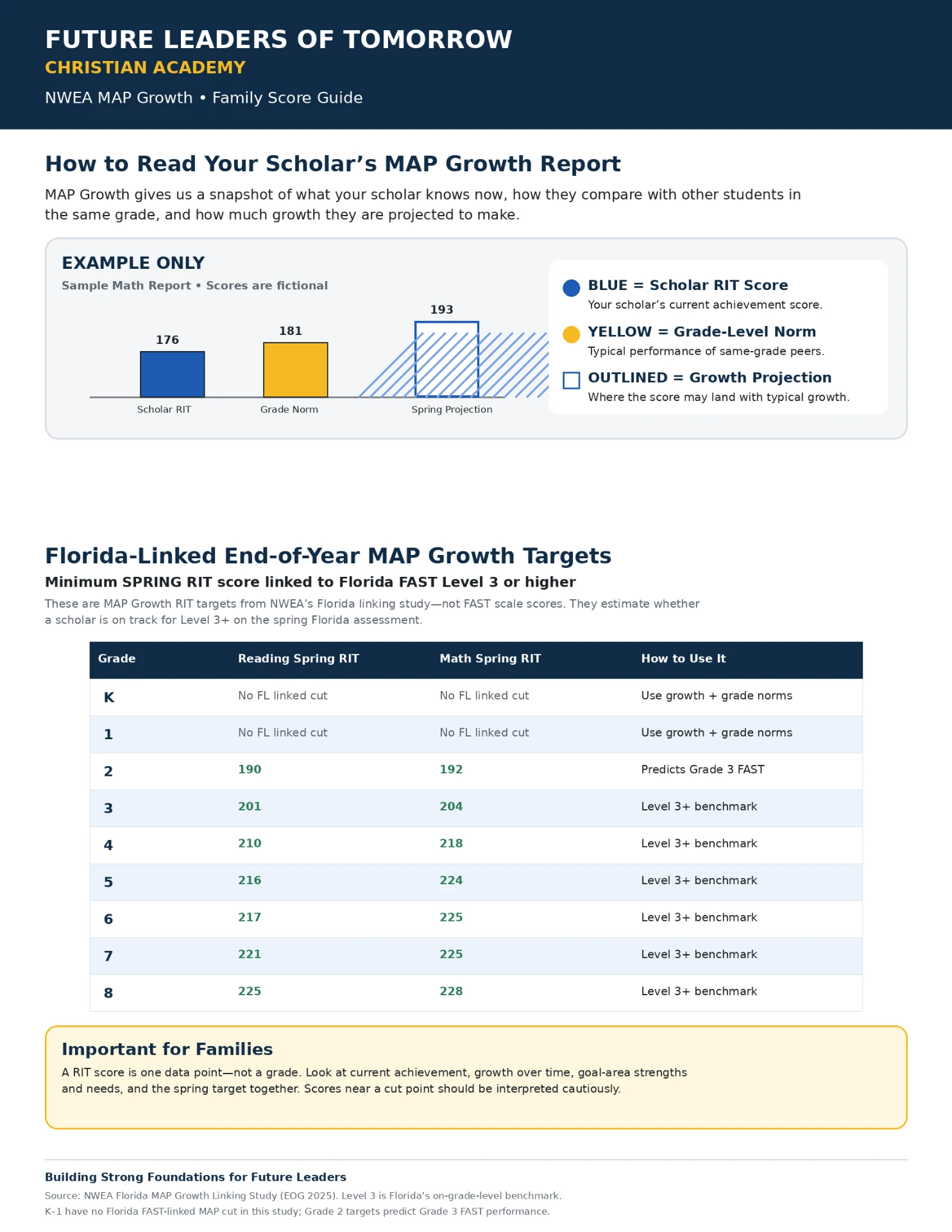
The blue score is your child's current RIT score, the yellow score is the grade-level norm, and the outlined score is the projected spring growth goal.
 View guide full size
MAP Score Tool
Check the Growth Target
Enter your child's current RIT score to see how many points remain before the spring target shown in FLOTA's family guide.
Enter a score to see the target and points needed.
Grades 2–8 use Florida-linked spring targets. Kindergarten and Grade 1 use growth goals and grade-level norms because no Florida-linked cut score is available. A RIT score is one data point—not a grade or final evaluation.
Track • Set Goals • Celebrate Growth
MAP Growth Tracker
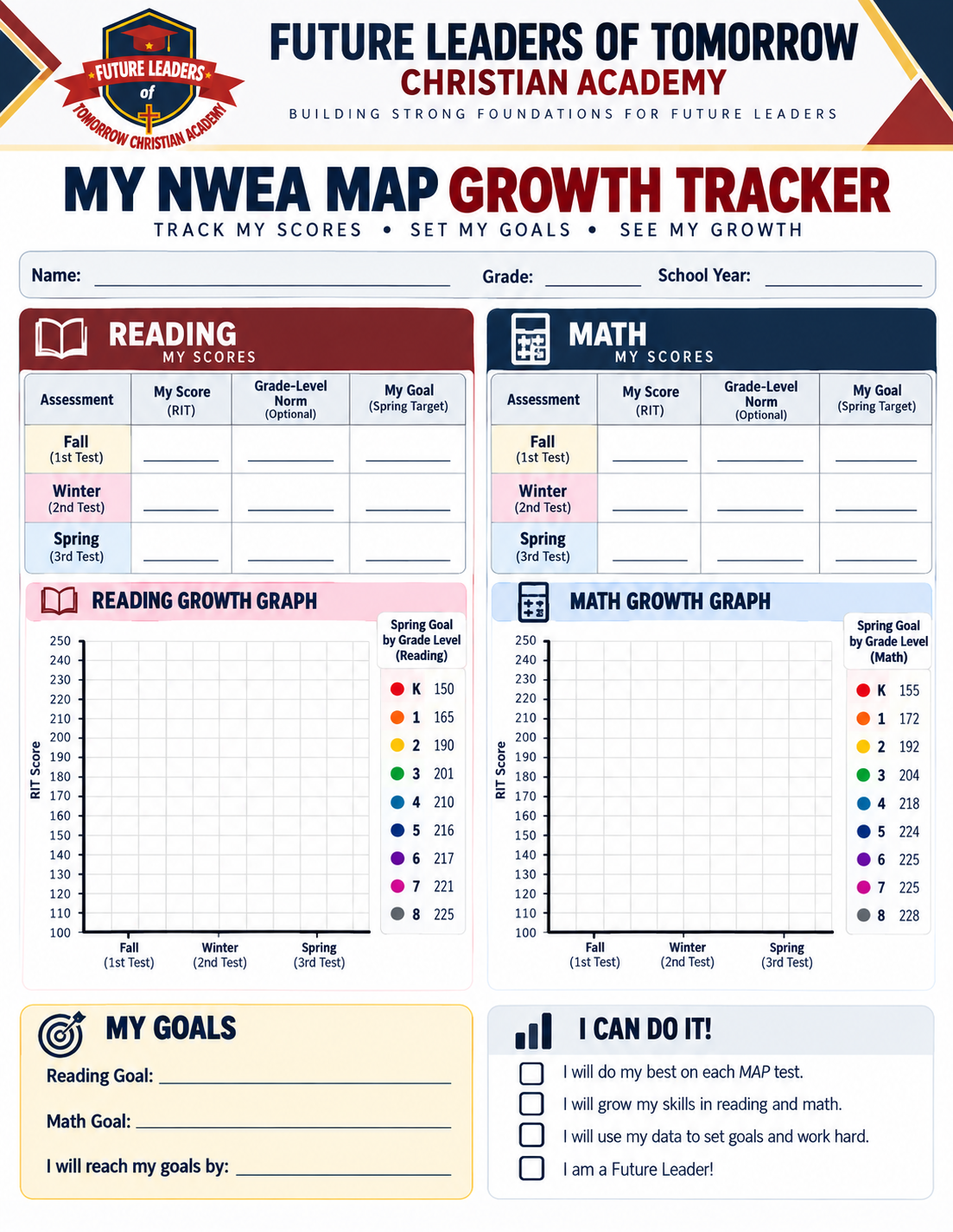
Use this tracker with your child to record fall, winter, and spring scores and set reading and math goals together.
Select the tracker to open a full-size copy for viewing or printing.